


Virtual TechLab IT education
Build a PC.
Practise in VR first.
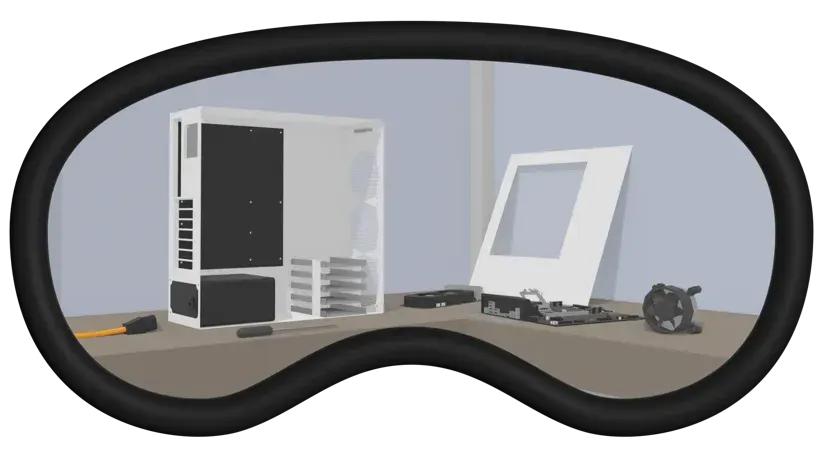
From choosing components to connecting cables. With Virtual TechLab, students practise assembling a desktop PC step by step. At their own pace, without damaging physical components.
From individual parts to a complete PC
Virtual TechLab is a VR learning environment for technical and IT education. Students explore how computer components work together and practise the actions involved in assembling a PC.
01 · Choose
Select components
Get to know the parts of a desktop PC, from the motherboard and processor to the memory and CPU cooler.
02 · Assemble
Place the parts
Pick up virtual components with the VR controllers and place them in the case. Work through the assembly step by step and repeat where helpful.
03 · Connect
Connect the cables
Practise connecting the cables. Explore how the different components connect inside a PC.
Take a look inside Virtual TechLab
See how students practise assembly tasks with virtual computer components.
Read what happens in the video
This demo shows a desktop PC being assembled step by step in Virtual TechLab. VR controllers are used to pick up components and place them in the case. You can see the motherboard, processor, CPU cooler and memory, followed by the cable connections. The footage shows how students practise assembly tasks without using physical hardware.
From a first exercise to hands-on practice
A virtual exercise is part of a wider course. The teacher decides how Virtual TechLab fits the learning goal, the student’s level and the practical lesson.
01 · Prepare
Connect it to your lesson
Choose the components and assembly tasks to focus on. Discuss what students already know and what they want to practise.
02 · Practise
Give students room to try
Let students build the virtual PC step by step. Allow time to repeat actions and discuss questions.
03 · Apply
Connect VR with real hardware
Use the exercise to prepare for a practical lesson. Working with real components also lets students practise handling and assembling physical hardware.
VR provides room for preparation and repetition. Working with real hardware remains necessary to practise physical assembly.
More room to practise
Placing a component incorrectly in VR does not damage physical hardware. Students can try again, repeat actions and become familiar with PC assembly at their own pace.
Combine virtual exercises with practical lessons using real computer components. The teacher guides the connection between both forms of practice.
Try Virtual TechLab
Start with the free demo
Explore the virtual workspace and see how the training could fit your teaching. The free demo is available through the Meta Store and the Pico Store.
Ready to use it with a class or course? We can discuss your learning goals, equipment, licensing and implementation.
Meta
Quest 2, 3 and 3S
Pico
Pico 3 and 4
HTC
Vive
Available languages
Dutch, English and German
Frequently asked questions
Who is Virtual TechLab for?
Virtual TechLab is designed for technical and IT education. Students practise selecting components, placing parts and connecting cables in a virtual desktop PC. Teachers guide its use alongside classroom explanations and practical lessons.
Which VR headsets are supported?
Virtual TechLab is available for Meta Quest 2, 3 and 3S, Pico 3 and 4, and HTC Vive. Contact us to check compatibility with your intended headset model and setup.
What can I do with the free demo?
The free demo lets you explore the virtual workspace and PC assembly tasks. It is available through the Meta Store and the Pico Store. Contact us to discuss the version and licensing suitable for your course.
Which languages are available?
Virtual TechLab is available in Dutch, English and German.
Does Virtual TechLab replace work with real hardware?
No. VR offers preparation and repeatable practice without damaging physical components during the exercise. Students still need practical lessons with real hardware to practise physical handling and assembly.
How can we start using Virtual TechLab in our course?
Tell us about your students, learning goals and equipment. We can discuss a demonstration, the appropriate version, licensing and implementation for your school or organisation.
How could VR fit your lessons?
Would you like to use Virtual TechLab at your school or organisation? Tell us about your course and learning goals. We can help you explore a suitable starting point.
Have a question first? Use the form below.